100% free · No sign-up · No watermarks · No uploads
Compare Two PDF Files — Free
Spot every change between two versions of a document: flip through them side by side, or switch to a pixel diff that paints differences red.
🔒 Everything runs locally in your browser — your file is never uploaded.
How it works
- 1
Open the first version
Drag the original PDF onto editfreepdf.com.
- 2
Pick the second version
Click Compare and choose the other file — both stay on your device.
- 3
Review the differences
Flip through pages side by side, or switch to Pixel diff: unchanged content turns gray and every difference is highlighted in red, with a changed-pixels percentage.
See it in action
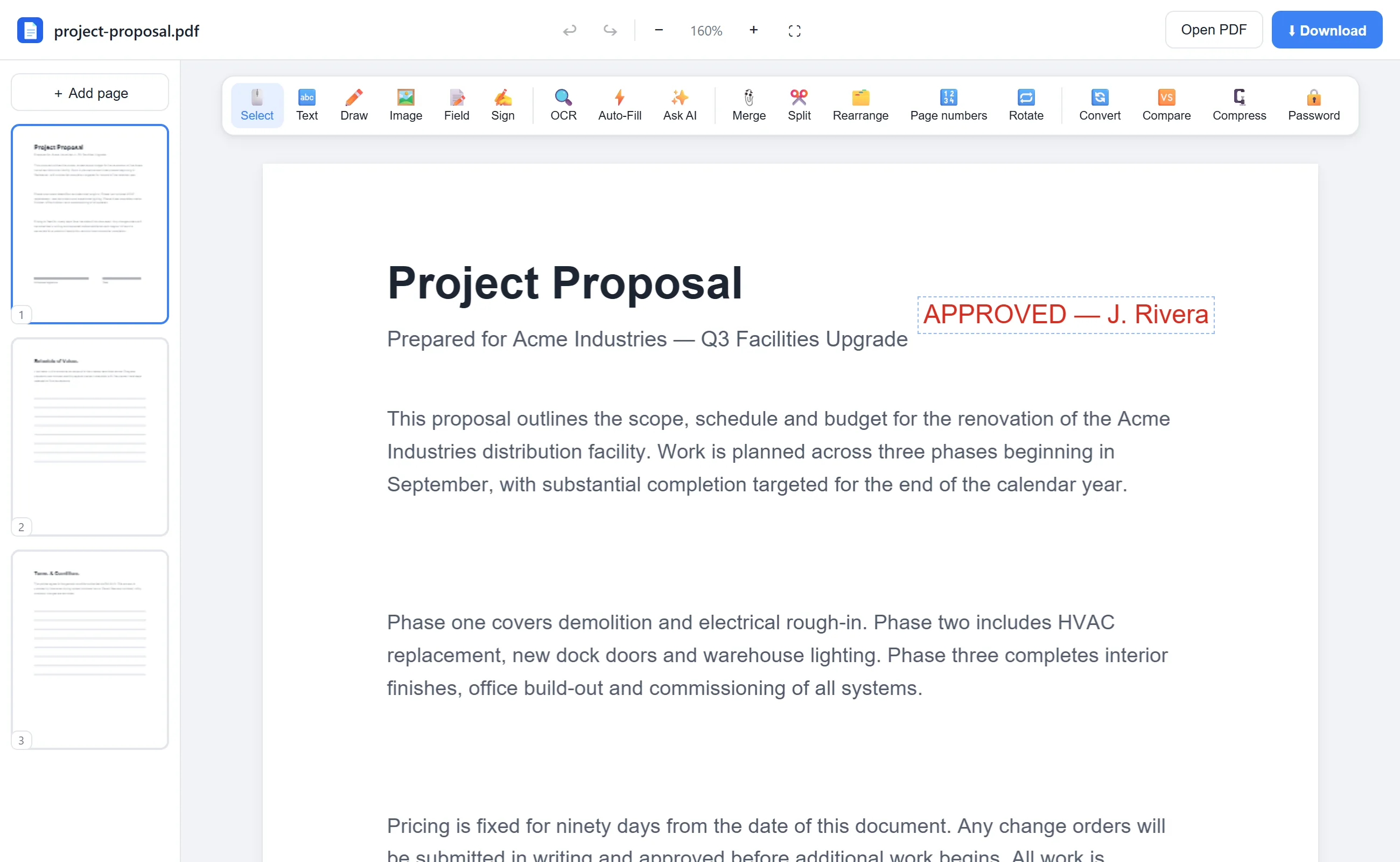
The actual editor — no install, it runs right in your browser.
Why use EditFreePDF?
Two modes
Side-by-side is great for reading; pixel diff catches tiny changes your eyes would miss — a moved decimal, an edited date.
Quantified
Each page reports what percentage of pixels changed, so you can skim to the pages that actually differ.
Both files stay local
Contract redlines and confidential drafts are compared in your browser, not on a server.
Frequently asked questions
How can I see the differences between two PDFs?
Open the first PDF in EditFreePDF, click Compare, choose the second file, and use side-by-side or pixel-diff mode to review every page.
Will it catch small changes?
Yes — the pixel diff flags any visual change, including single-character edits, and tells you what percentage of the page changed.
Can I compare confidential documents safely?
Yes. Both files are processed locally in your browser and never uploaded.