100% free · No sign-up · No watermarks · No uploads
Edit PDF Online — Free
Add text, images, highlights, form fields and signatures to any PDF. 100% free, no watermarks, and your file never leaves your device.
🔒 Everything runs locally in your browser — your file is never uploaded.
Prefer step-by-step instructions? Read how to edit a pdf online for free.
How it works
- 1
Open your PDF
Drag and drop your file onto the editor or click Open PDF. It loads instantly — nothing is uploaded to any server.
- 2
Add text and annotations
Use the Text tool to type anywhere on the page, the Draw tool to highlight or mark up, and Image to insert pictures or logos.
- 3
Download your edited PDF
Click Download and get a clean, watermark-free PDF with all your edits baked in.
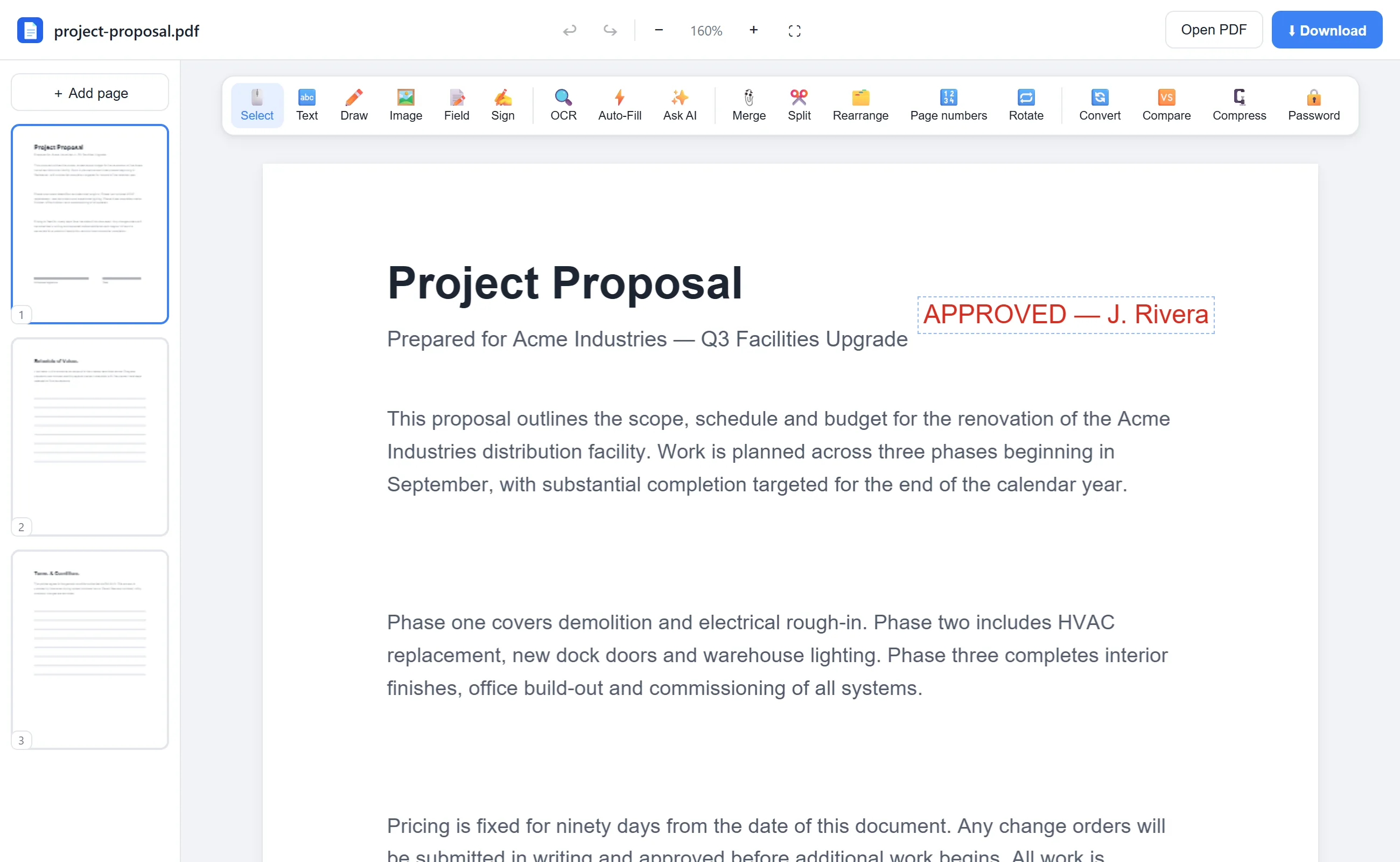
See it in action
The actual editor — no install, it runs right in your browser.
Why use EditFreePDF?
Type anywhere
Click any spot on any page to add text. Pick the font size and color, drag it into place, and edit it any time before download.
Highlight & draw
Freehand pen and a translucent highlighter make review and markup fast — great for contracts, homework and proofs.
Insert images
Stamp logos, photos or scanned signatures onto the page, then move and resize them freely.
Private by design
Editing runs entirely in your browser — no upload, no account, no tracking of your documents.
Frequently asked questions
Can I edit a PDF without paying or signing up?
Yes. EditFreePDF is completely free with no account, no trial and no watermark. Open the PDF, make your edits and download.
Can I change existing text in a PDF?
Yes — double-click any text on the page. The original is covered and an editable text box with the same content, size and position appears; just type the replacement. For scanned documents, run OCR first so the text becomes selectable.
Will my edited PDF have a watermark?
No — never. The downloaded file contains only your document and your edits.