100% free · No sign-up · No watermarks · No uploads
Delete Pages from a PDF — Free
Remove blank pages, duplicates and anything else you don't need. Tick the pages, hit delete, download the cleaned-up PDF.
🔒 Everything runs locally in your browser — your file is never uploaded.
Prefer step-by-step instructions? Read how to delete pages from a pdf.
How it works
- 1
Open the PDF
Drag your file onto editfreepdf.com.
- 2
Select the pages to remove
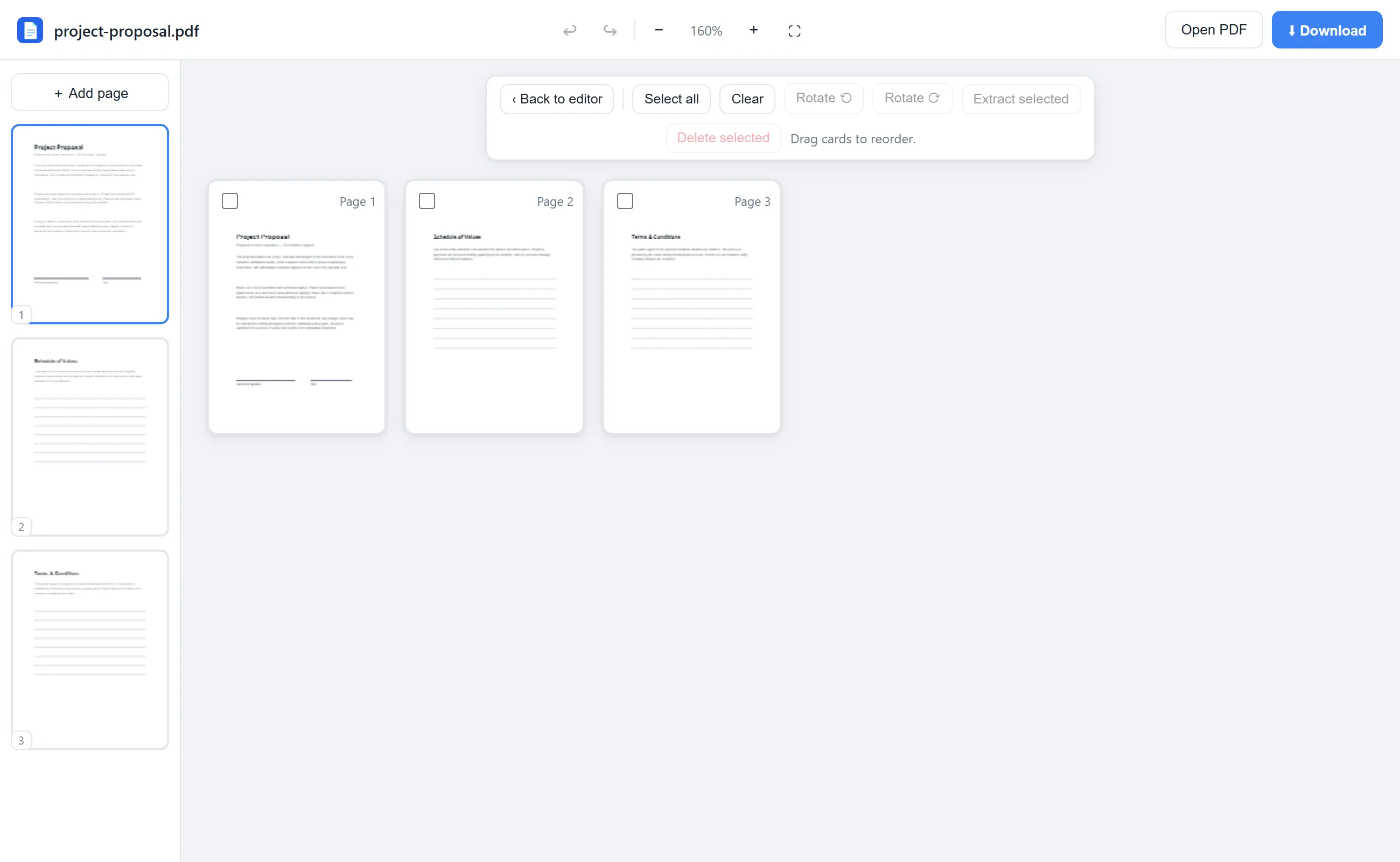
Click Rearrange, then tick the checkbox on every page you want gone — or hover a sidebar thumbnail and hit ✕ for a quick single delete.
- 3
Delete and download
Click Delete selected, confirm, and download the smaller PDF.
See it in action
The actual editor — no install, it runs right in your browser.
Why use EditFreePDF?
Clean up scans
Scanners love inserting blank pages and duplicates — remove them all in one pass.
Undo-friendly
Deleted the wrong one? Ctrl+Z brings it back instantly, any time before download.
Pairs with extract
Want to keep only a few pages instead? Select those and use Extract selected — the inverse operation.
Frequently asked questions
How do I remove pages from a PDF for free?
Open the PDF in EditFreePDF, click Rearrange, select the unwanted pages and click Delete selected. Then download — free, no watermark.
Can I delete every page except a few?
Select the pages you want to keep and click Extract selected instead — it downloads a new PDF containing only those pages.
Is there an undo?
Yes — Ctrl+Z (or the undo button) restores deleted pages while you're editing.