100% free · No sign-up · No watermarks · No uploads
Rotate PDF Pages — Free
Fix sideways and upside-down pages in seconds. Rotate the current page from the toolbar, or select any set of pages and rotate them together.
🔒 Everything runs locally in your browser — your file is never uploaded.
Prefer step-by-step instructions? Read how to rotate pdf pages.
How it works
- 1
Open the PDF
Drag your file onto editfreepdf.com.
- 2
Rotate
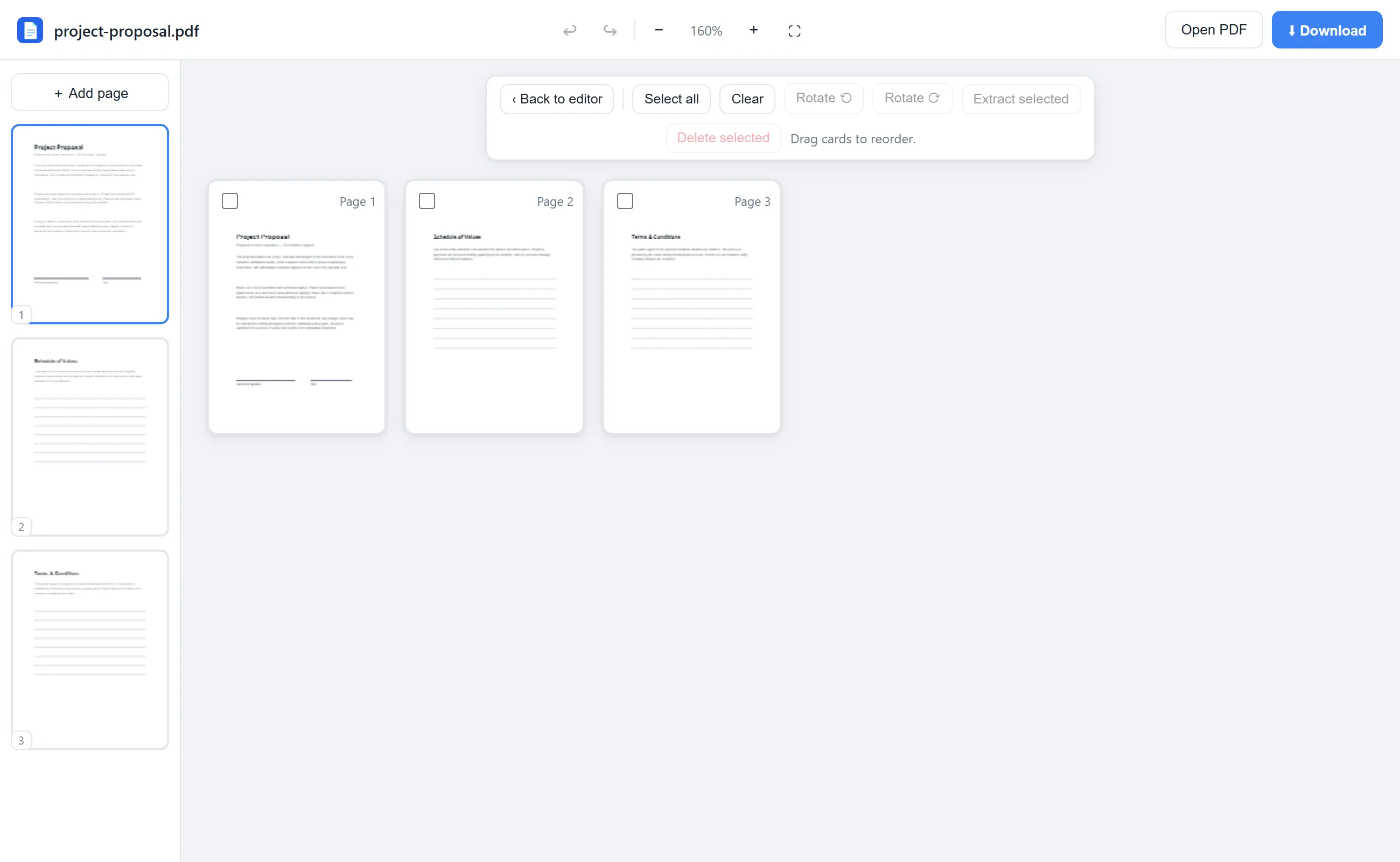
For the current page, just click Rotate in the toolbar. For several pages, open Rearrange, select them, and use Rotate ⟲ / ⟳.
- 3
Download
The rotation is written into the PDF itself, so pages open right-side-up everywhere.
See it in action
The actual editor — no install, it runs right in your browser.
Why use EditFreePDF?
Permanent fix
Unlike rotating in a viewer, the orientation is saved into the file — recipients see it correctly too.
Batch rotation
Scanned a stack in landscape? Select all and rotate everything at once.
Local
Rotation is applied on your device; the file is never uploaded.
Frequently asked questions
How do I permanently rotate a PDF?
Open it in EditFreePDF, rotate the pages, and download. The rotation is stored in the PDF, so it stays fixed in every viewer.
Can I rotate just one page?
Yes — go to that page and click Rotate in the toolbar, or rotate individual thumbnails from the sidebar.
Does rotating affect quality?
No — rotation only changes the page's orientation flag; the content is untouched.