100% free · No sign-up · No watermarks · No uploads
Fill Out a PDF Form — Free
Complete any PDF form — real fillable fields or flat scanned forms — with auto-fill from your saved profile, click-to-type text, checkboxes and a signature.
🔒 Everything runs locally in your browser — your file is never uploaded.
Prefer step-by-step instructions? Read how to fill out a pdf form online.
How it works
- 1
Open the form
Drag the PDF form into the editor. Fillable fields are detected automatically.
- 2
Fill it in
Use Auto-Fill to complete detected fields from your saved profile in one click, or the Text tool to type onto flat forms. Sign it with the Sign tool.
- 3
Download
Optionally flatten the fields to make them permanent, then download the completed form.
See it in action
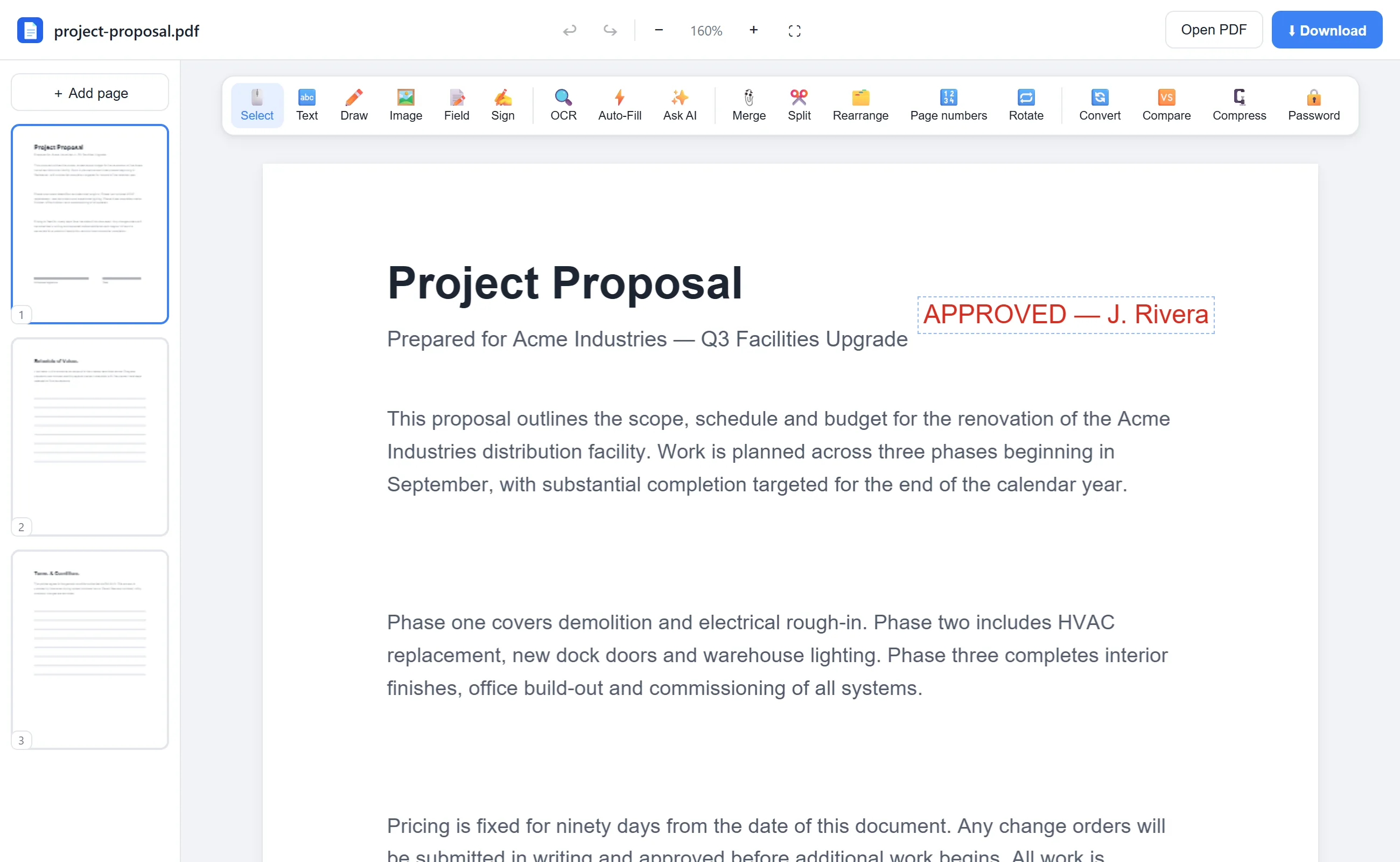
The actual editor — no install, it runs right in your browser.
Why use EditFreePDF?
Auto-fill
Save your name, address, email and phone once (stored only in your browser) and fill matching fields on any form with one click.
Works on flat forms
Scanned or printed-style forms with no real fields? Type directly onto the page and check boxes manually.
Sign and date
Add your signature and today's date before downloading — no printing, no scanning.
Forms stay private
Job applications, tax and medical forms are processed locally and never uploaded.
Frequently asked questions
How do I fill out a PDF form that isn't fillable?
Use the Text tool to type over the blanks and the Draw tool to add checkmarks. It works on any PDF, including scans.
Where is my auto-fill profile stored?
Only in your own browser's local storage. It is never sent anywhere, and you can edit or clear it any time.
Can I make my answers permanent?
Yes — tick “Flatten fields on download” and the filled values become part of the page, so they can't be edited later.