100% free · No sign-up · No watermarks · No uploads
Compress a PDF — Free
Shrink oversized PDFs so they fit email limits and upload caps. You choose the quality level and see the size savings before anything leaves your screen.
🔒 Everything runs locally in your browser — your file is never uploaded.
Prefer step-by-step instructions? Read how to compress a pdf for email.
How it works
- 1
Open the large PDF
Drag your file into the editor — scans and image-heavy files compress best.
- 2
Pick quality and resolution
Click Compress and choose a quality level. Higher quality keeps detail; lower quality saves more space.
- 3
Download the smaller file
The editor shows the before/after size (e.g. 18 MB → 2.1 MB) and downloads the compressed copy.
See it in action
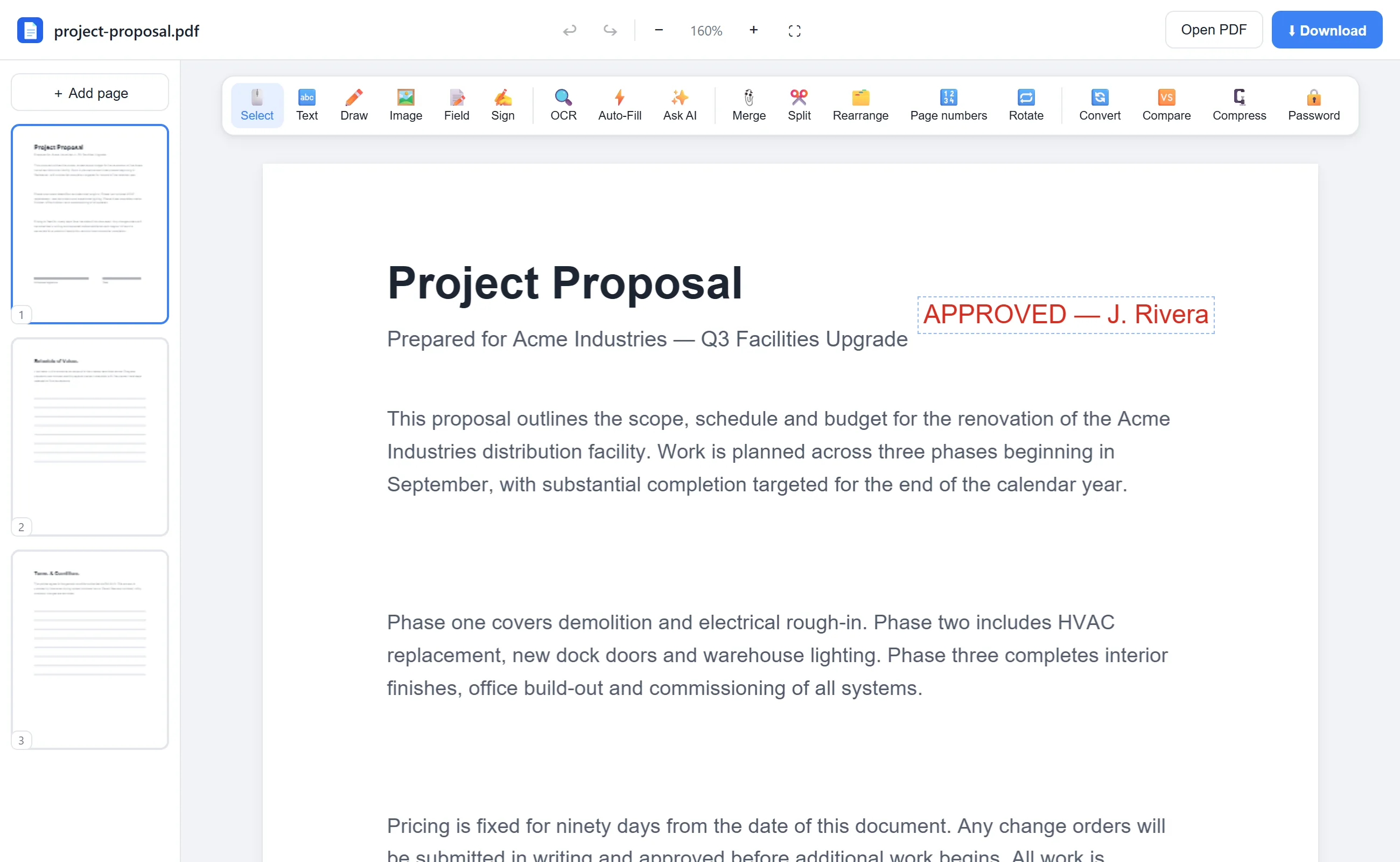
The actual editor — no install, it runs right in your browser.
Why use EditFreePDF?
Real size savings
Scanned documents routinely shrink 70–90%, comfortably under 10 MB and 25 MB email attachment limits.
You control quality
An adjustable quality slider and DPI selector let you trade sharpness for size — with the result shown instantly.
No upload, no cap
Other compressors upload your file and cap free usage. Here compression is local and unlimited.
Frequently asked questions
How much smaller will my PDF get?
It depends on content. Scans and photo-heavy PDFs often shrink by 70–90%. Already-optimized text PDFs may not shrink much — the editor tells you honestly.
Does compressing keep text selectable?
This compressor re-renders pages as images for maximum savings, so text isn't selectable in the compressed copy. Keep the original if you need selectable text — or run OCR on the compressed file.
Is there a file size limit?
No hard limit. Because compression runs on your device, even very large files work on a typical laptop.