100% free · No sign-up · No watermarks · No uploads
Split a PDF — Free
Break one PDF into several, or pull out just the pages you need. Enter page ranges and download everything in a single ZIP.
🔒 Everything runs locally in your browser — your file is never uploaded.
Prefer step-by-step instructions? Read how to split a pdf.
How it works
- 1
Open the PDF
Drag the file you want to split into the editor.
- 2
Choose your ranges
Click Split and type ranges like
1-3, 4-6, 7— each range becomes its own PDF. - 3
Download the ZIP
All the split files download together in one ZIP, named by page range.
See it in action
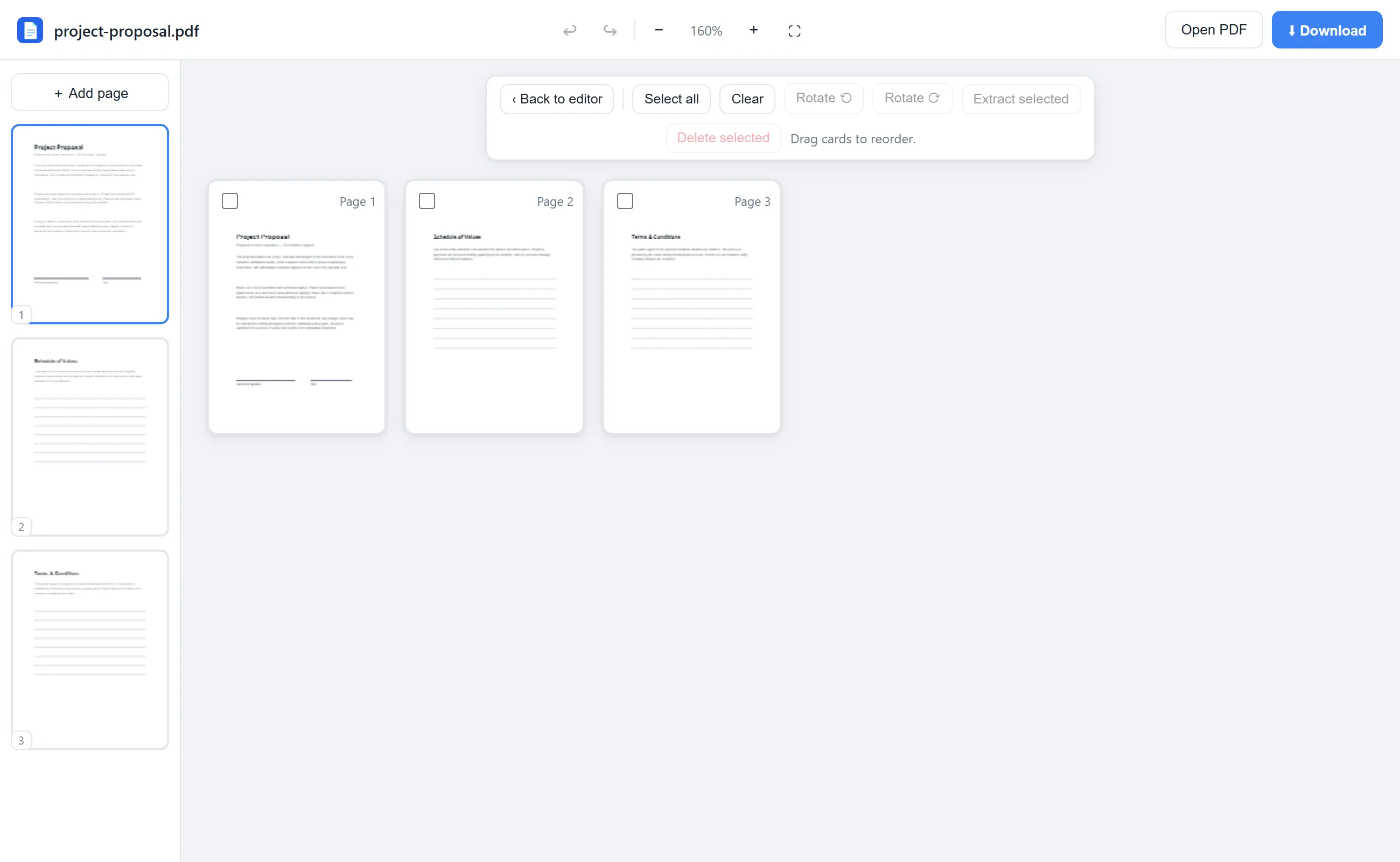
The actual editor — no install, it runs right in your browser.
Why use EditFreePDF?
Split by ranges
Turn a 40-page report into chapters, or peel a single exhibit out of a filing — any ranges you want.
Extract pages
Prefer picking pages visually? Use Rearrange, select pages with checkboxes, and export just those.
Nothing uploaded
Splitting happens in your browser, so confidential documents stay confidential.
Frequently asked questions
Can I extract just one page from a PDF?
Yes — enter a single page number as the range (e.g. “7”), or select the page in the Rearrange view and click Extract.
Is there a page limit?
No artificial limits. Large documents work fine; processing power comes from your own device.
Do the split files keep their quality?
Yes, pages are copied exactly — no re-rendering, no compression, text stays selectable.