100% free · No sign-up · No watermarks · No uploads
Add Text to a PDF — Free
Click anywhere on any page and start typing. Choose the size and color, drag the text into place, and download a clean PDF — free and private.
🔒 Everything runs locally in your browser — your file is never uploaded.
Prefer step-by-step instructions? Read how to add text to a pdf.
How it works
- 1
Open your PDF
Drag the file into the editor — it opens instantly in your browser.
- 2
Click and type
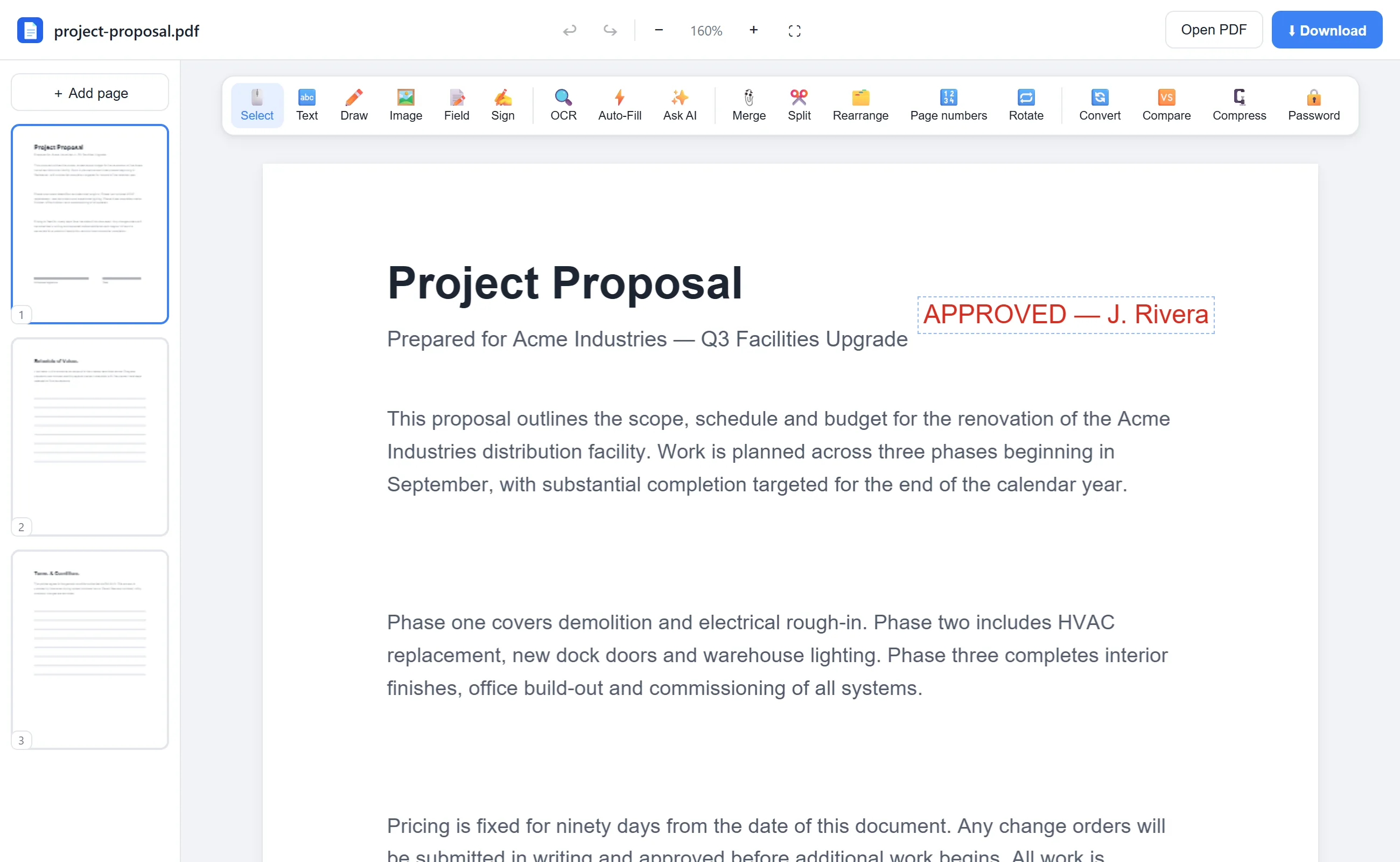
Select the Text tool, click where the text should go, and type. Adjust size and color from the toolbar; drag to reposition.
- 3
Download
Click Download — your text is embedded into a clean, watermark-free PDF.
See it in action
The actual editor — no install, it runs right in your browser.
Why use EditFreePDF?
True click-to-type
No rigid form grid — place text at any exact spot on the page, on any page.
Match the document
Set the font size and color so added text blends with what's already there.
Great for paper forms
Fill in printed-style forms without printing and scanning — type over the blanks and download.
Nothing uploaded
Text is added locally in your browser; the document never touches a server.
Frequently asked questions
Can I add text to a PDF for free?
Yes — adding text is free with no limits, no account and no watermark on the result.
Can I edit the text after adding it?
Yes, until you download. Click any text box to retype it, drag to move it, or delete it. After download the text is part of the PDF.
Can I add text to a scanned PDF?
Yes. You can type over any scan; run the free OCR tool first if you also want the scan's own text to be searchable.