100% free · No sign-up · No watermarks · No uploads
Unlock a PDF — Free
Tired of typing the password every time? Remove it for good — enter the current password once and download a decrypted copy. All locally, in your browser.
🔒 Everything runs locally in your browser — your file is never uploaded.
Prefer step-by-step instructions? Read how to remove a password from a pdf.
How it works
- 1
Choose the locked PDF
Click Password → Remove password and pick the encrypted file.
- 2
Enter the current password
Type the password you normally use to open the document.
- 3
Download the unlocked copy
A decrypted PDF downloads immediately — open it anywhere, no password needed.
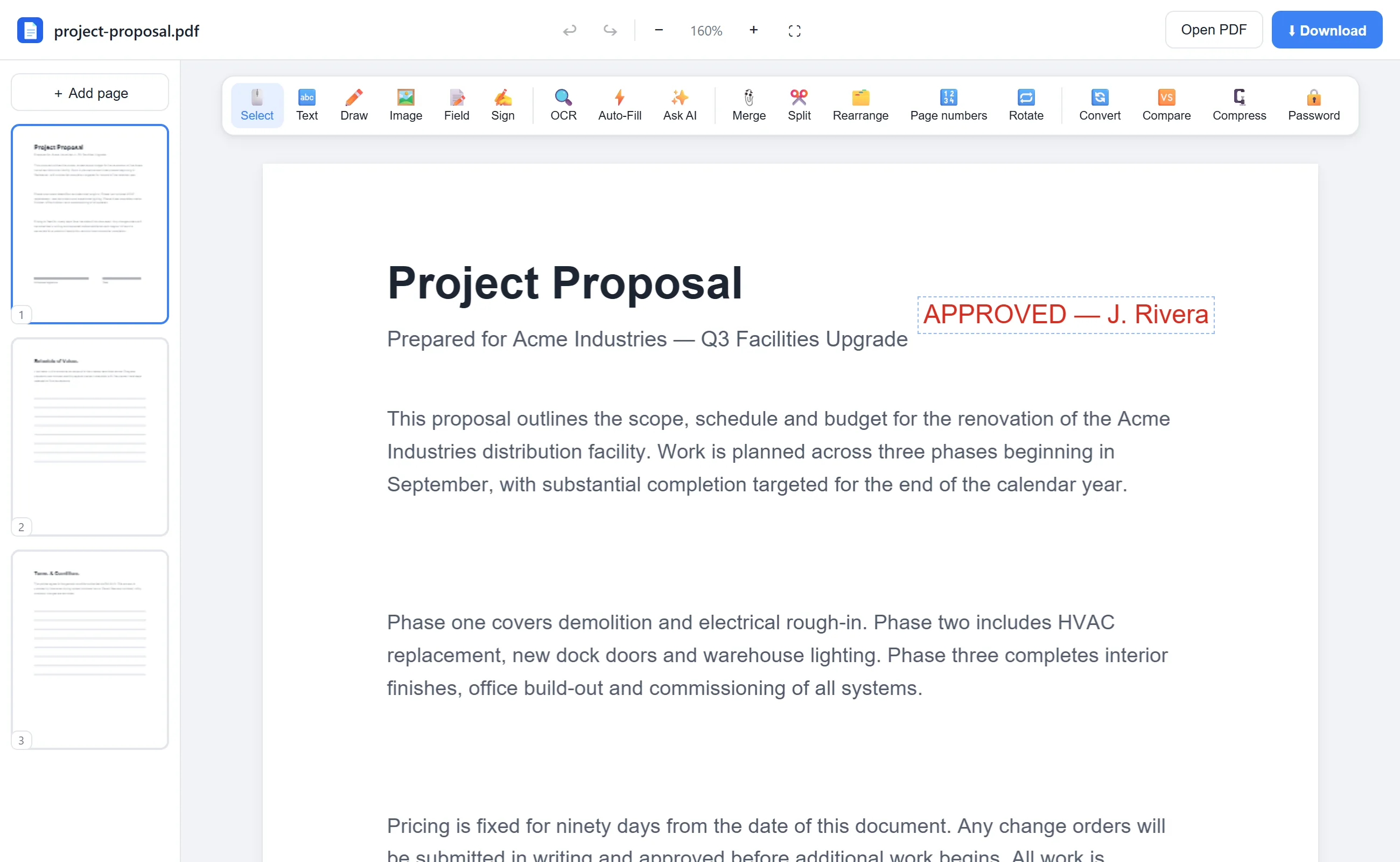
See it in action
The actual editor — no install, it runs right in your browser.
Why use EditFreePDF?
One-time unlock
Bank statements and payroll PDFs often come password-protected. Unlock them once and file them normally.
Decrypted on your device
Uploading a sensitive locked file to a random server is risky. Here decryption is 100% local.
Instant
No queues or processing delays — the qpdf engine runs right in your browser.
Frequently asked questions
Can this crack a PDF password I don't know?
No. You must know the current password — this tool removes protection you're authorized to remove; it does not bypass or crack encryption.
Why remove a password at all?
Recurring documents like statements are painful to reopen every time. Once stored somewhere safe, many people prefer them unlocked.
Is the unlocked file identical?
Yes — same pages, same quality, just without the encryption layer.