100% free · No sign-up · No watermarks · No uploads
Highlight a PDF — Free
Sweep a translucent highlighter over anything on the page — any color, any width. Perfect for studying, reviewing contracts and marking up reports.
🔒 Everything runs locally in your browser — your file is never uploaded.
Prefer step-by-step instructions? Read how to highlight a pdf.
How it works
- 1
Open your PDF
Drag the document onto editfreepdf.com — it opens instantly in your browser.
- 2
Pick the highlighter
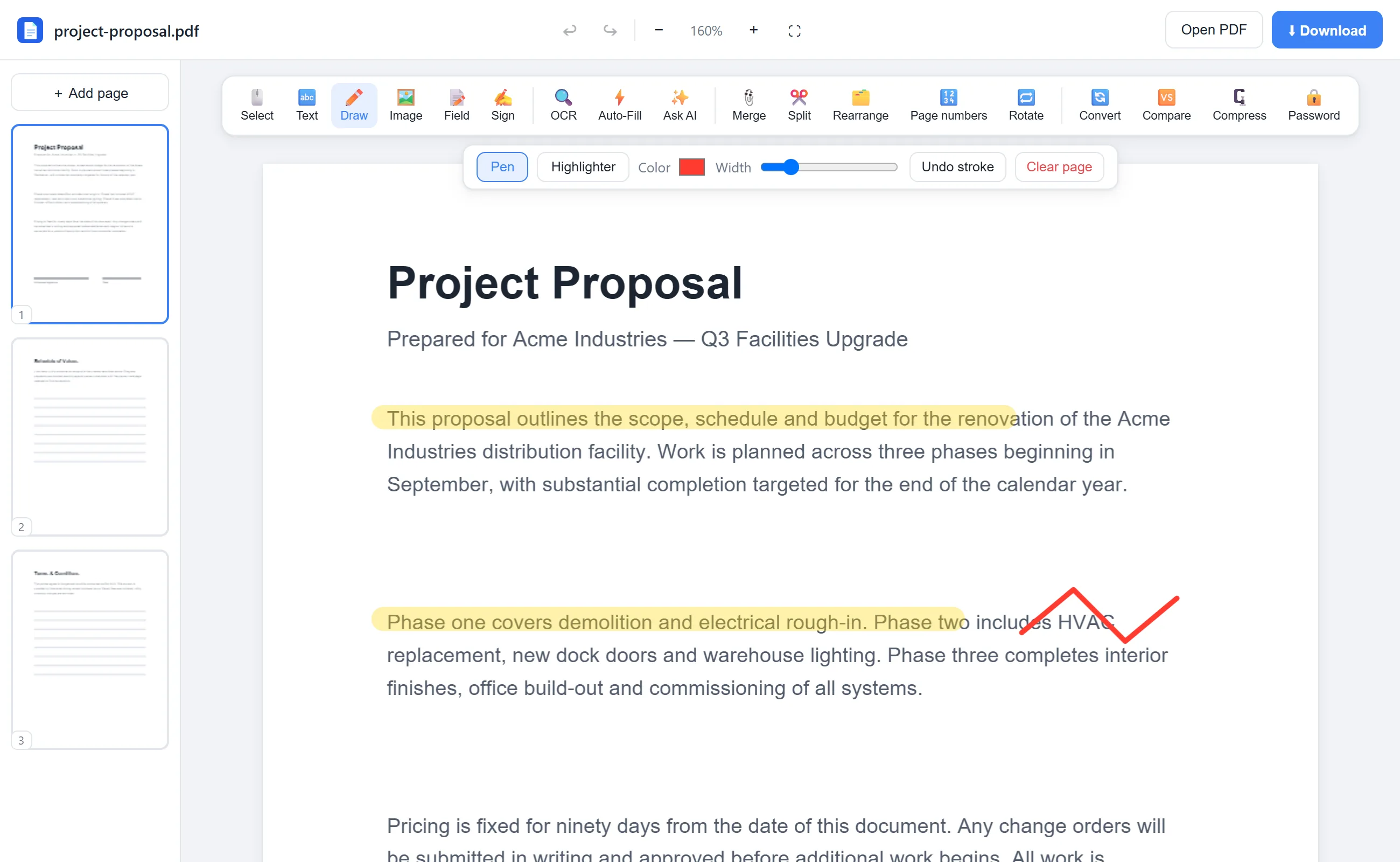
Click Draw and switch to Highlighter. Choose a color (classic yellow or anything else) and a width.
- 3
Highlight and download
Drag across the text you want to emphasize. Made a mistake? Undo stroke. Then click Download.
See it in action
The actual editor — no install, it runs right in your browser.
Why use EditFreePDF?
Real translucent ink
Highlights render at 35% opacity so the text underneath stays perfectly readable — just like a real highlighter.
Any color, any width
Yellow for key points, green for definitions, pink for follow-ups — build your own review system.
Great for studying
Mark up lecture notes, papers and textbooks without printing them.
Private
The document is processed on your device and never uploaded.
Frequently asked questions
Can I highlight a PDF for free without an account?
Yes — open the PDF, highlight, download. No sign-up, no watermark, no limits.
Can I remove a highlight?
Yes. Use Undo stroke to remove the last highlight, Ctrl+Z for general undo, or Clear page to remove all annotations on a page before downloading.
Does highlighting work on scanned PDFs?
Yes — the highlighter draws over anything, scans included. Run the free OCR tool first if you also want the scan's text to be searchable.