100% free · No sign-up · No watermarks · No uploads
Merge PDF Files — Free
Combine two or more PDFs into a single document in seconds, then drag pages into any order. No file limits, no upload, no watermark.
🔒 Everything runs locally in your browser — your file is never uploaded.
Prefer step-by-step instructions? Read how to merge pdf files.
How it works
- 1
Open your first PDF
Drag the first file into the editor — it becomes the base document.
- 2
Merge in the others
Click Merge and pick as many PDFs as you like. Their pages are appended instantly.
- 3
Reorder and download
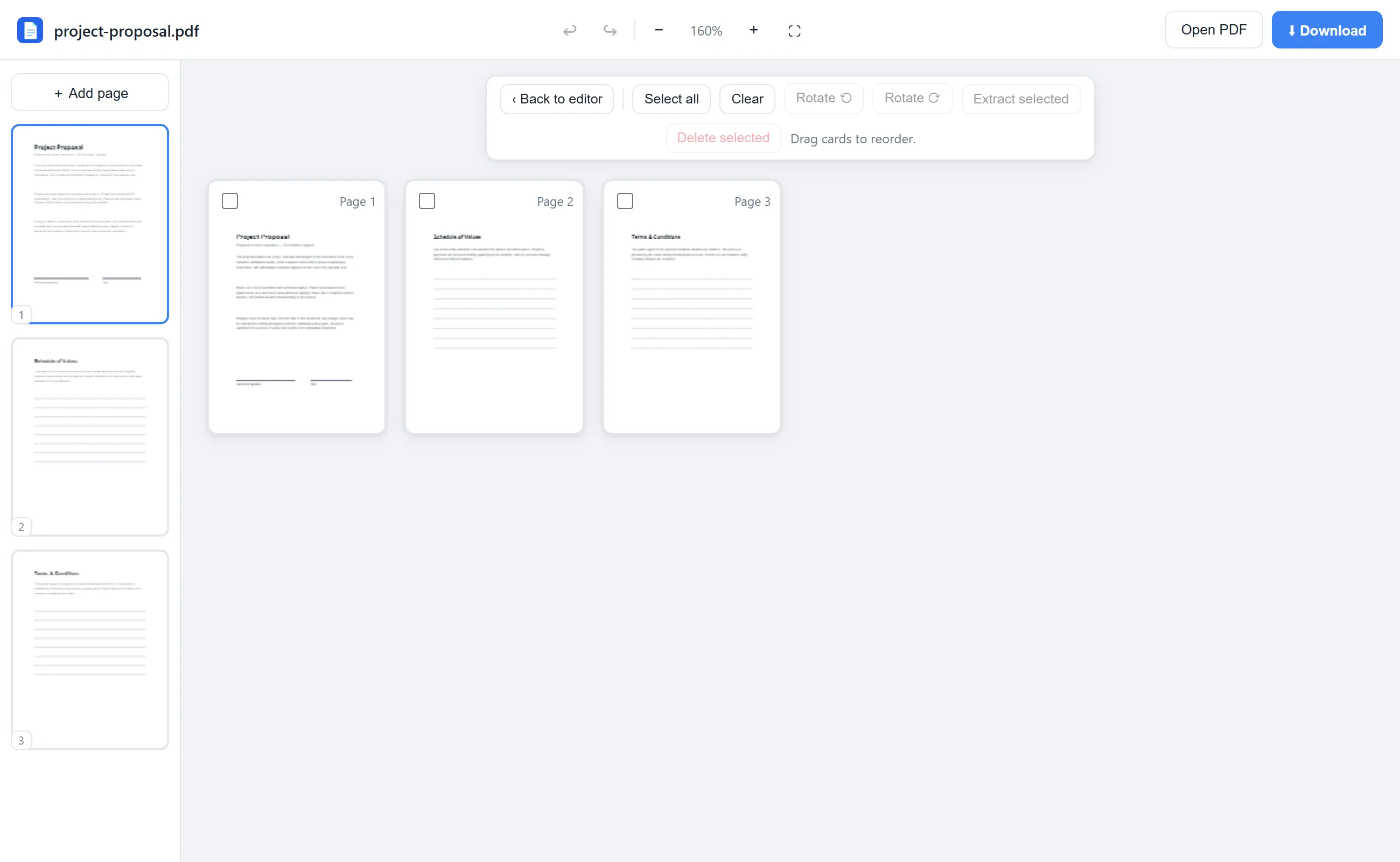
Use Rearrange to drag pages into the perfect order, then hit Download.
See it in action
The actual editor — no install, it runs right in your browser.
Why use EditFreePDF?
Unlimited files
Merge as many PDFs as your device's memory allows — no “2 files per day” caps.
Full page control
After merging, reorder with drag & drop, rotate sideways pages, and delete what you don't need.
Instant, local
Merging is pure local computation — no upload progress bars, no queues, no waiting.
Frequently asked questions
How many PDFs can I merge for free?
There's no limit. Merge two files or two hundred — it's free either way and nothing is uploaded.
Can I rearrange pages after merging?
Yes. The Rearrange view shows every page as a card you can drag into a new order, rotate, delete or extract.
Will merging reduce quality?
No. Pages are copied losslessly into the combined document — text stays sharp and selectable.