Free · No sign-up · No watermark · No upload
How to Edit a PDF Online for Free
You can edit a PDF online for free with EditFreePDF: open your PDF in the browser, add text, signatures, highlights, images or form fields with the toolbar, then download the finished file. No sign-up is required, no watermark is added, and your PDF is processed in your browser without being uploaded.
Tool details: Edit PDF Online
How to Edit a PDF Online for Free — step by step
- 1
Open your PDF
Go to editfreepdf.com and drag your PDF onto the page (or click Choose PDF file). The document opens instantly — nothing is uploaded to a server.
- 2
Pick a tool
Use Text to type anywhere, Draw to highlight or mark up, Image to insert pictures, Sign to add your signature, or Field to create fillable fields.
- 3
Make your edits
Click on the page to place text or drawings, or double-click any existing text to replace it — the original is covered and an editable box with the same content appears. Everything can be moved, resized, recolored or deleted until it's exactly right.
- 4
Download the edited PDF
Click Download. Your edits are embedded into a clean PDF with no watermark.
See it in action
The actual editor — no install, it runs right in your browser.
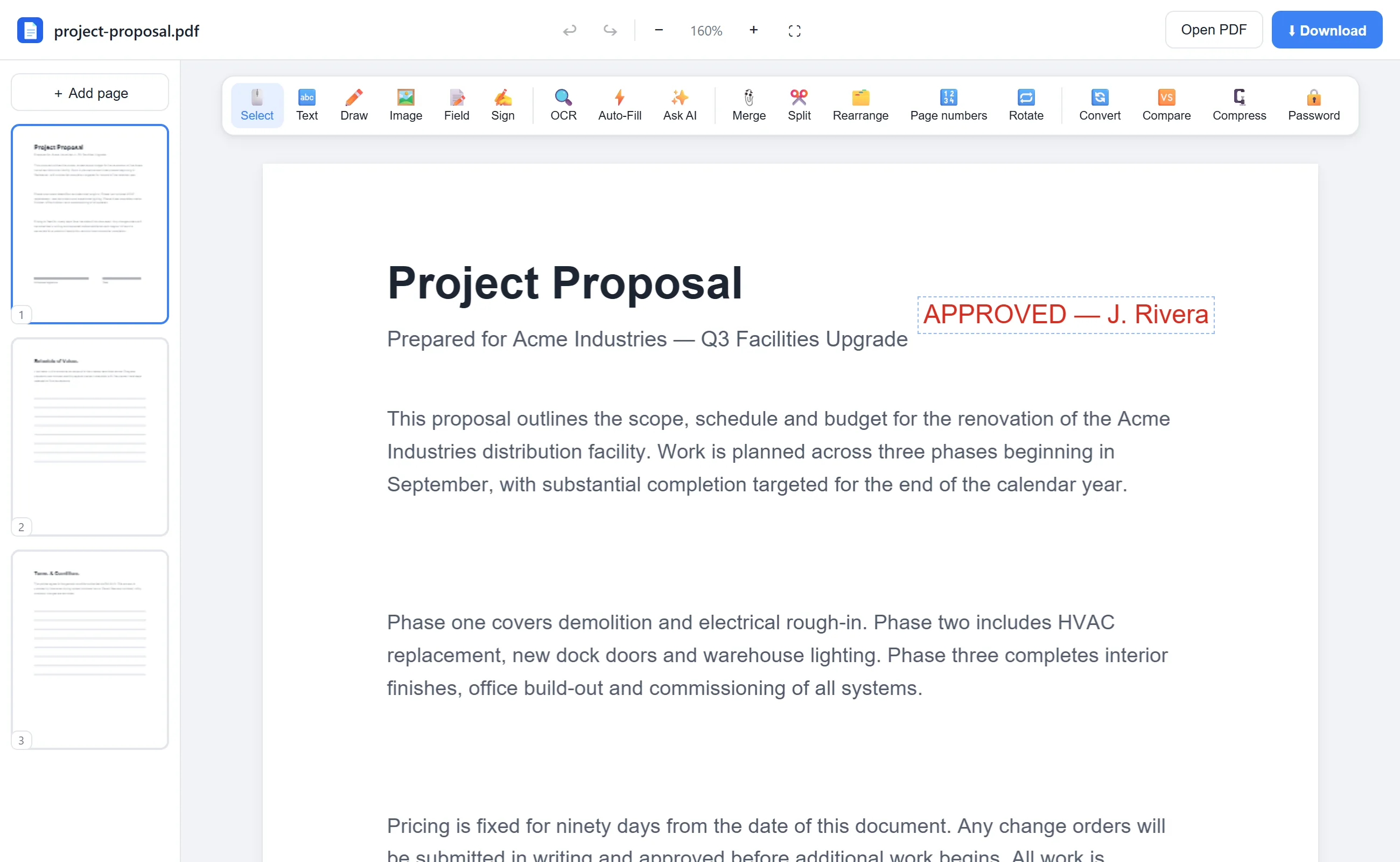
What you can do with EditFreePDF
- Add text anywhere on the page
- Sign with a drawn or uploaded signature
- Highlight and draw
- Insert images and logos
- Fill forms and add fillable fields
- Merge, split, and reorder pages
- OCR scanned documents
All of it free — no account, no watermark, no upload. Your file is processed locally in your browser.
Frequently asked questions
Can I edit a PDF online without paying?
Yes. Every tool on EditFreePDF is free — no trial, no account, and no watermark on the downloaded file.
Is it safe to edit a PDF online?
It is when the file never leaves your device. EditFreePDF processes PDFs locally in your browser, so nothing is uploaded — unlike most online editors.
Can I edit a PDF on my phone?
Yes, the editor runs in mobile browsers on iPhone, iPad and Android as well as any desktop.