Free · No sign-up · No watermark · No upload
How to Fill Out a PDF Form Online
To fill out a PDF form online for free, open the form in EditFreePDF. If the form has real fillable fields, Auto-Fill completes them from your saved profile in one click; if it's a flat or scanned form, use the Text tool to type over the blanks. Sign it, download it — free, with no upload and no watermark.
Tool details: Fill PDF Form
How to Fill Out a PDF Form Online — step by step
- 1
Open the form
Drag the PDF form onto editfreepdf.com. Fillable fields are detected automatically.
- 2
Fill the fields
Click Auto-Fill to complete detected fields from your saved profile (stored only in your browser), or type into each field manually.
- 3
Handle flat forms
No real fields? Use Text to type over the blanks and Draw for checkmarks — works on any scanned form.
- 4
Sign and download
Add your signature with Sign, optionally flatten the fields to lock your answers, and click Download.
See it in action
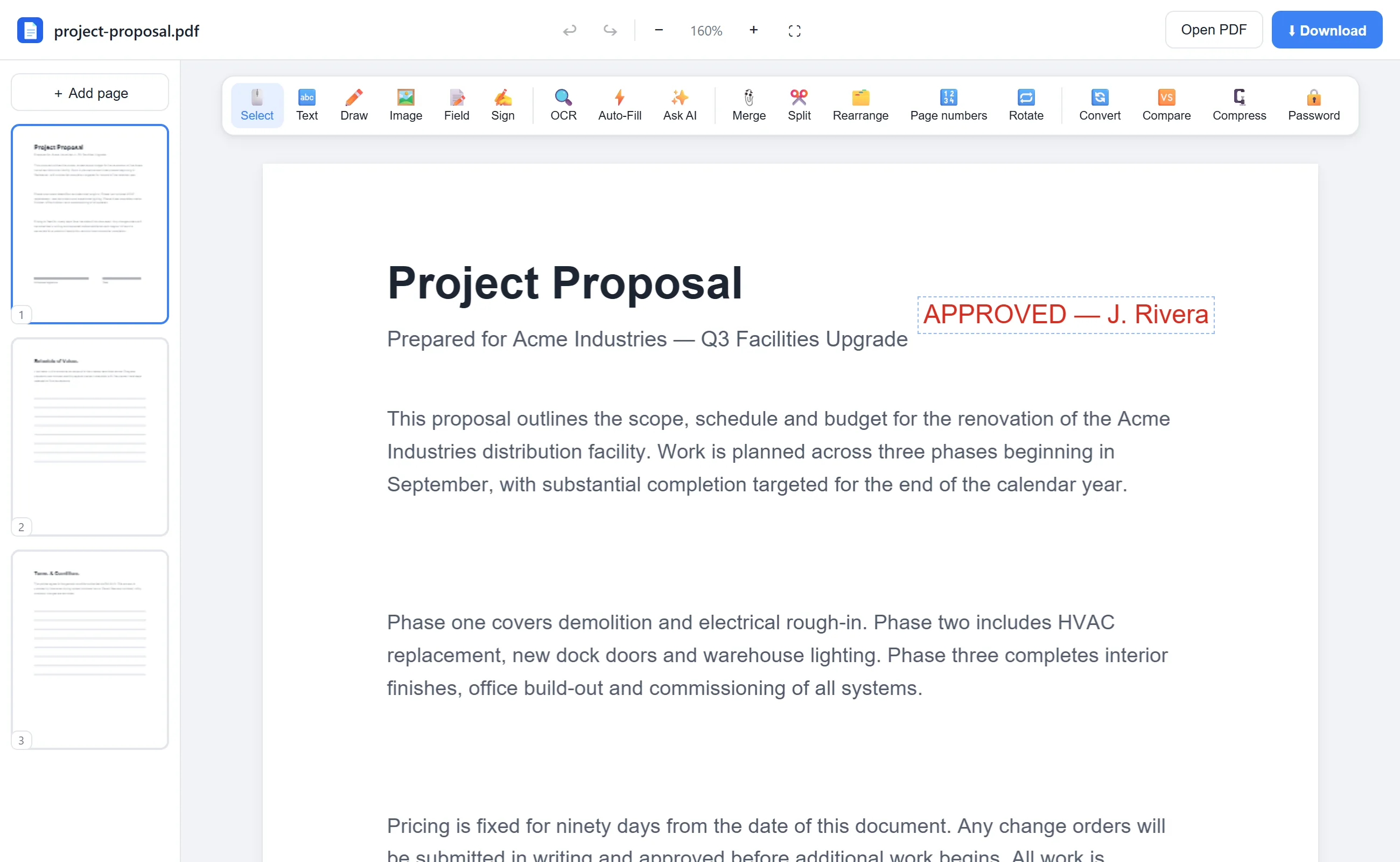
The actual editor — no install, it runs right in your browser.
What you can do with EditFreePDF
- Fill interactive AcroForm fields
- One-click Auto-Fill from a saved local profile
- Type onto flat and scanned forms
- Check boxes and select dropdowns
- Sign and date the form
- Flatten fields so answers can't be changed
All of it free — no account, no watermark, no upload. Your file is processed locally in your browser.
Frequently asked questions
How do I fill a PDF form that isn't fillable?
Use the Text tool to type directly over the blanks — it works on any PDF, including scans and photocopies.
Is my personal information stored anywhere?
Your Auto-Fill profile lives only in your own browser's storage and the form itself is never uploaded. Nothing reaches a server.
Can I stop others from editing my answers?
Yes — check “Flatten fields on download” and the values become a permanent part of the page.