Free · No sign-up · No watermark · No upload
How to Highlight a PDF
To highlight a PDF for free, open it in EditFreePDF, click Draw, switch to Highlighter, pick a color, and drag across the text you want to emphasize. Download when you're done — the highlights are saved into the PDF, with no watermark and no upload of your document.
Tool details: Highlight PDF
How to Highlight a PDF — step by step
- 1
Open the PDF
Drag the file onto editfreepdf.com — notes, contracts, papers, anything.
- 2
Switch to the highlighter
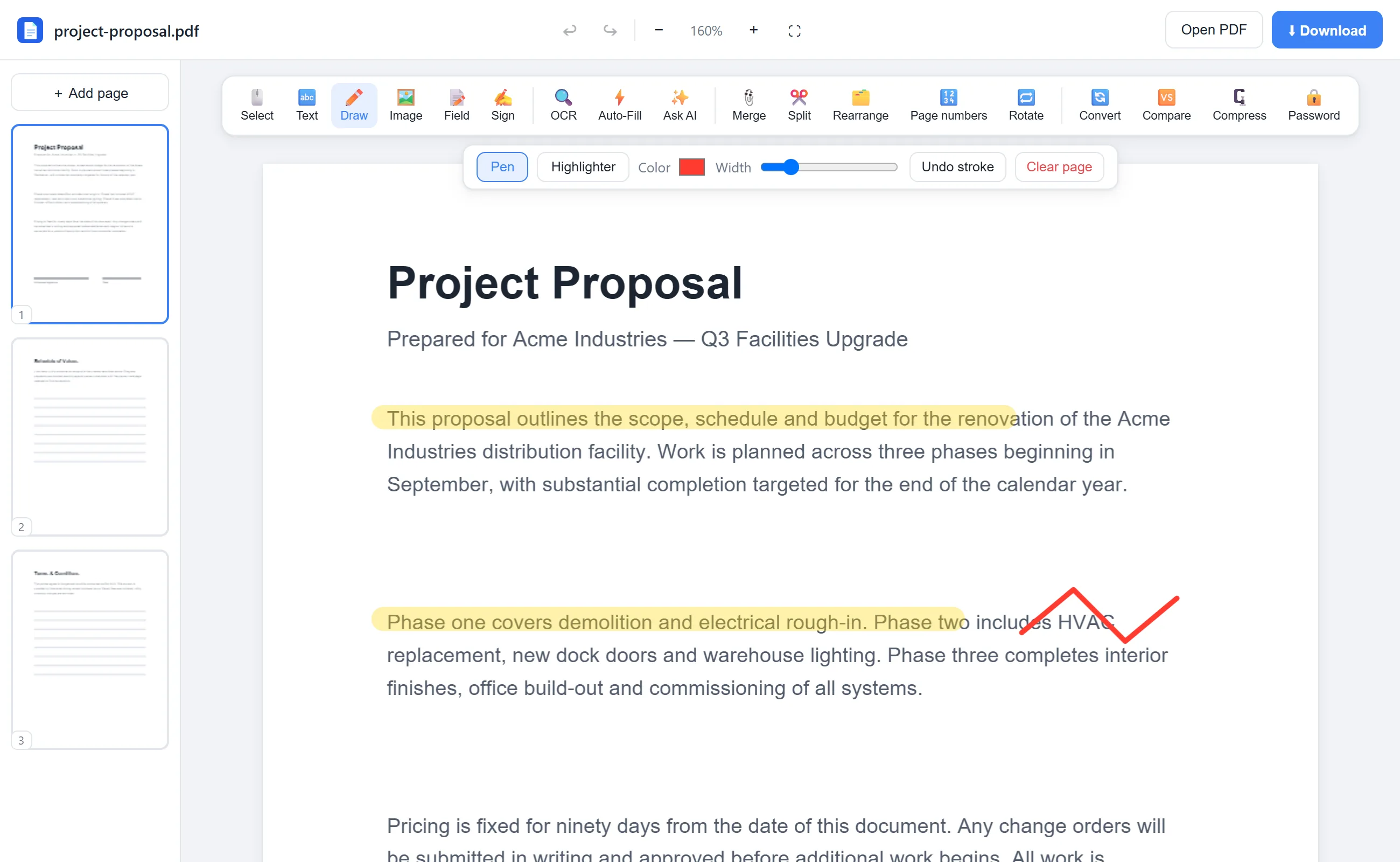
Click Draw in the toolbar, then choose Highlighter. Pick a color (classic yellow works great) and set the width.
- 3
Highlight the text
Sweep across the lines you want to stand out. The ink is translucent, so the text stays perfectly readable. Undo stroke fixes any slips.
- 4
Download
Click Download — highlights are embedded permanently into the PDF.
See it in action
The actual editor — no install, it runs right in your browser.
What you can do with EditFreePDF
- Highlight in any color, not just yellow
- Adjust highlighter width
- Combine with the pen for underlines and circles
- Undo strokes individually
- Highlight scans and photos too
All of it free — no account, no watermark, no upload. Your file is processed locally in your browser.
Frequently asked questions
How do I highlight text in a PDF for free?
Open the PDF in EditFreePDF, choose Draw → Highlighter, and drag across the text. Download the finished file free, with no watermark.
Can I highlight in colors other than yellow?
Yes — the color picker accepts any color. Many people use different colors for different kinds of notes.
Can I remove highlights later?
Before downloading, yes — undo individual strokes or clear the page. After downloading they're part of the document.