Free · No sign-up · No watermark · No upload
How to Merge PDF Files into One
To merge PDF files for free, open the first PDF in EditFreePDF, click Merge, and select the other PDFs — their pages are appended instantly. Drag pages into the right order and download one combined file. There are no file limits, no uploads and no watermarks.
Tool details: Merge PDF
How to Merge PDF Files into One — step by step
- 1
Open the first PDF
Drag your first file onto editfreepdf.com — it becomes the base document.
- 2
Merge in the rest
Click Merge and choose as many PDFs as you need. You can also drop several files at once on the homepage.
- 3
Put pages in order
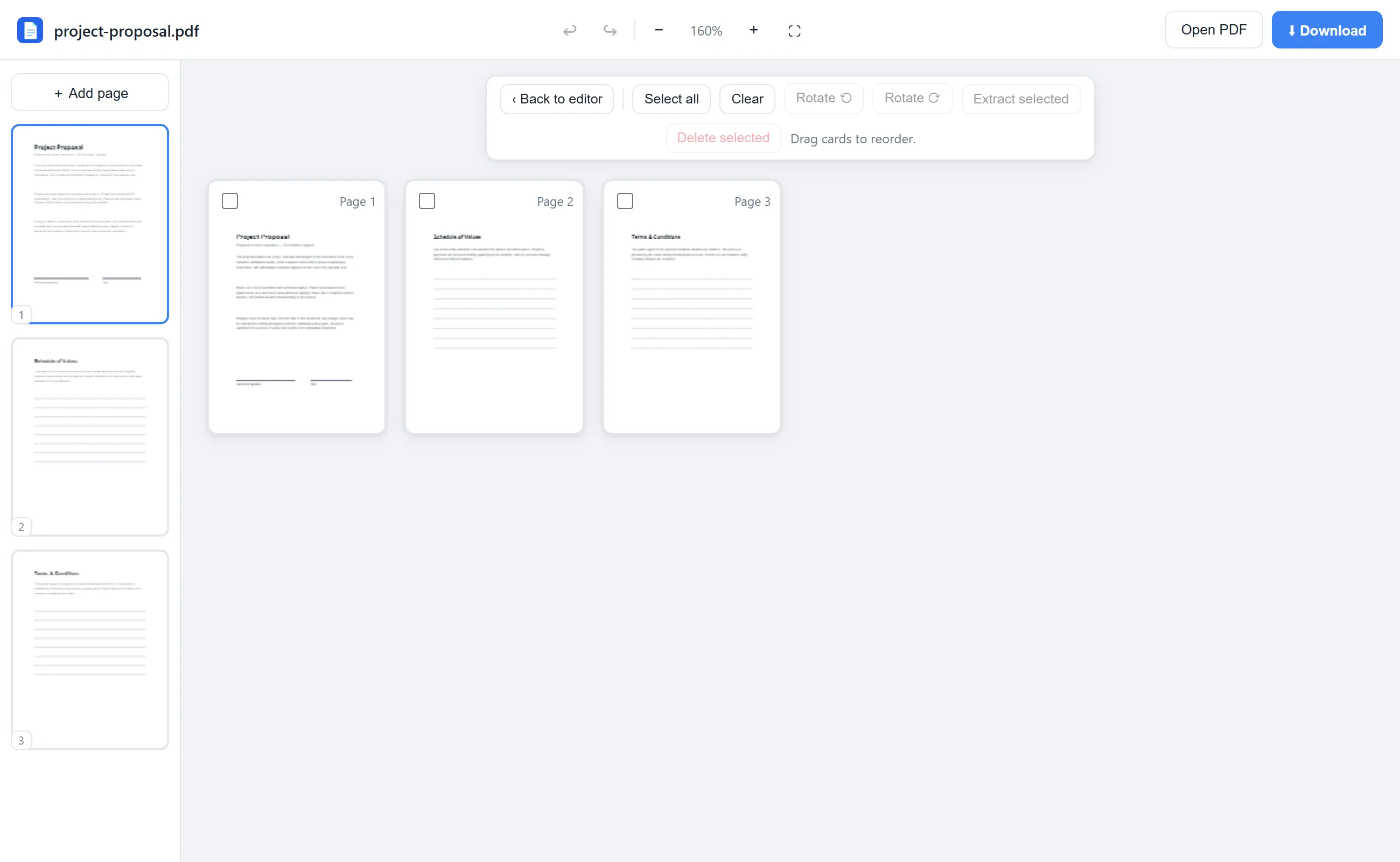
Click Rearrange and drag page cards into the final order. Rotate or delete pages while you're there.
- 4
Download the combined PDF
One click on Download gives you a single merged, watermark-free document.
See it in action
The actual editor — no install, it runs right in your browser.
What you can do with EditFreePDF
- Combine unlimited PDFs into one
- Drag & drop page reordering
- Rotate and delete pages after merging
- Extract a subset of pages
- Add page numbers to the combined file
All of it free — no account, no watermark, no upload. Your file is processed locally in your browser.
Frequently asked questions
How do I combine PDF files for free?
Open one PDF in EditFreePDF, click Merge, pick the others, and download the combined file. It's free with no file-count limits.
Can I control the page order?
Yes — after merging, the Rearrange view lets you drag every page into exactly the order you want.
Do merged PDFs keep their quality?
Yes. Pages are copied losslessly, so text stays sharp and selectable.