Free · No sign-up · No watermark · No upload
How to Rotate PDF Pages (and Make It Stick)
To rotate PDF pages permanently, open the file in EditFreePDF and click Rotate for the current page — or open Rearrange, select several pages, and rotate them together. Download and the orientation is saved into the PDF itself, so it opens right-side-up in every viewer. Free, local, no upload.
Tool details: Rotate PDF
How to Rotate PDF Pages (and Make It Stick) — step by step
- 1
Open the PDF
Drag the file with the sideways or upside-down pages onto editfreepdf.com.
- 2
Rotate
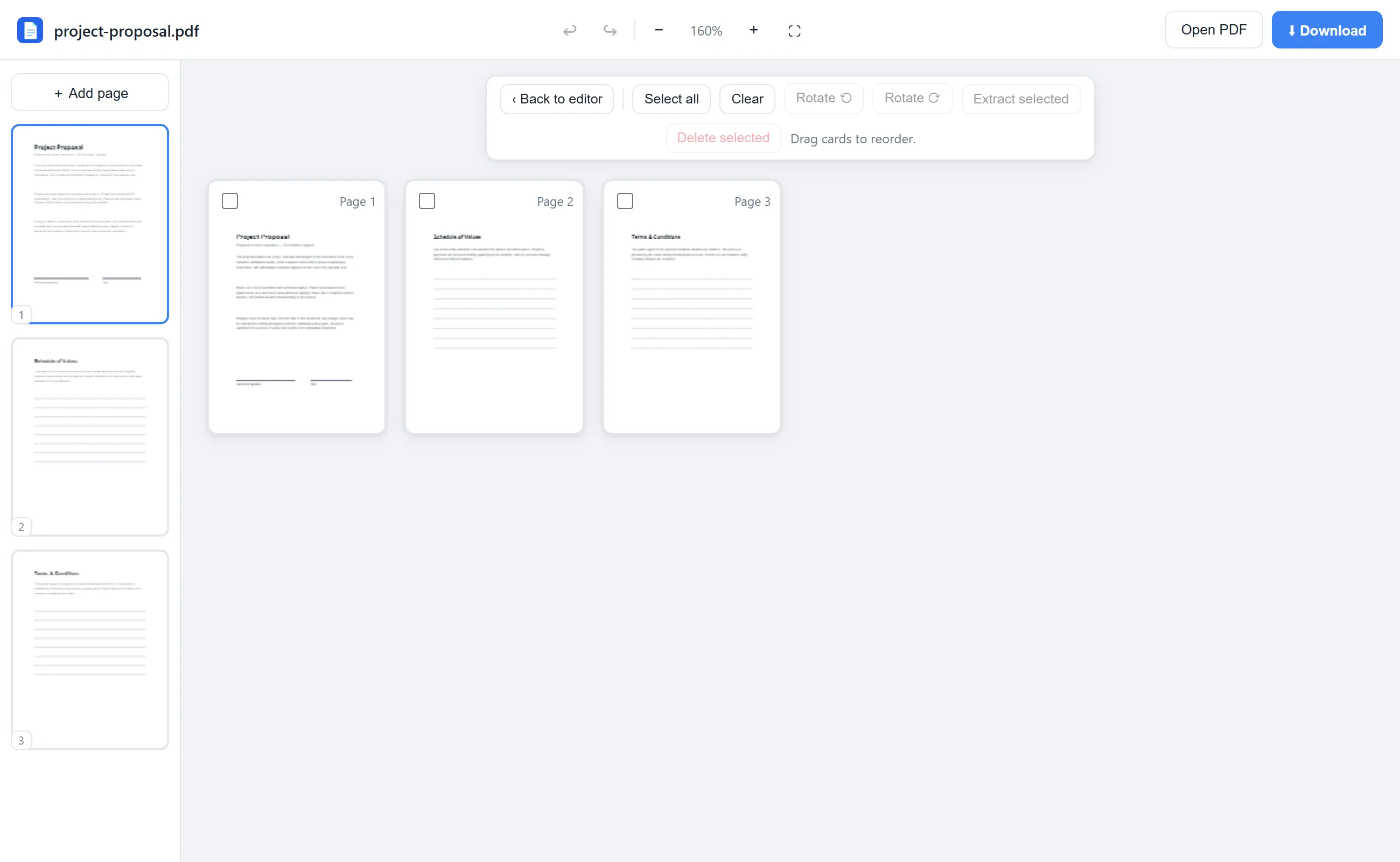
One page: click Rotate in the toolbar (90° per click). Many pages: open Rearrange, select them, and use Rotate ⟲ / ⟳.
- 3
Check the thumbnails
The sidebar and grid previews update immediately, so you can confirm every page is upright.
- 4
Download
The rotation is written into the file — unlike rotating in a viewer, it stays fixed for everyone.
See it in action
The actual editor — no install, it runs right in your browser.
What you can do with EditFreePDF
- Rotate 90° left or right, repeatedly for 180°
- Rotate one page, a selection, or every page
- Rotation is permanent in the downloaded file
- Fix whole landscape scan batches at once
- No quality change — only the orientation flag
All of it free — no account, no watermark, no upload. Your file is processed locally in your browser.
Frequently asked questions
Why does my PDF open sideways every time?
Viewers like Adobe Reader rotate only your current view, not the file. Rotating in EditFreePDF writes the orientation into the PDF, fixing it permanently.
How do I rotate just one page?
Go to that page and click Rotate in the toolbar, or hover its sidebar thumbnail and click the rotate button.
Does rotating reduce quality?
No — rotation changes a metadata flag on the page; the content is untouched.