Free · No sign-up · No watermark · No upload
How to Convert a PDF to JPG Images
To convert a PDF to JPG for free, open the PDF in EditFreePDF, click Convert, choose PDF → Images with the JPG format, and export. Every page is rendered as a high-resolution image and downloaded together in one ZIP — no upload, no watermark, no page limits.
Tool details: PDF to JPG
How to Convert a PDF to JPG Images — step by step
- 1
Open the PDF
Drag your file onto editfreepdf.com.
- 2
Open the Convert menu
Click Convert in the toolbar and find PDF → Images.
- 3
Pick JPG or PNG
JPG gives smaller files for sharing; PNG is lossless and keeps small text pixel-sharp.
- 4
Export and download
Click Export — all pages render at 2× resolution and download as numbered images in one ZIP.
See it in action
The actual editor — no install, it runs right in your browser.
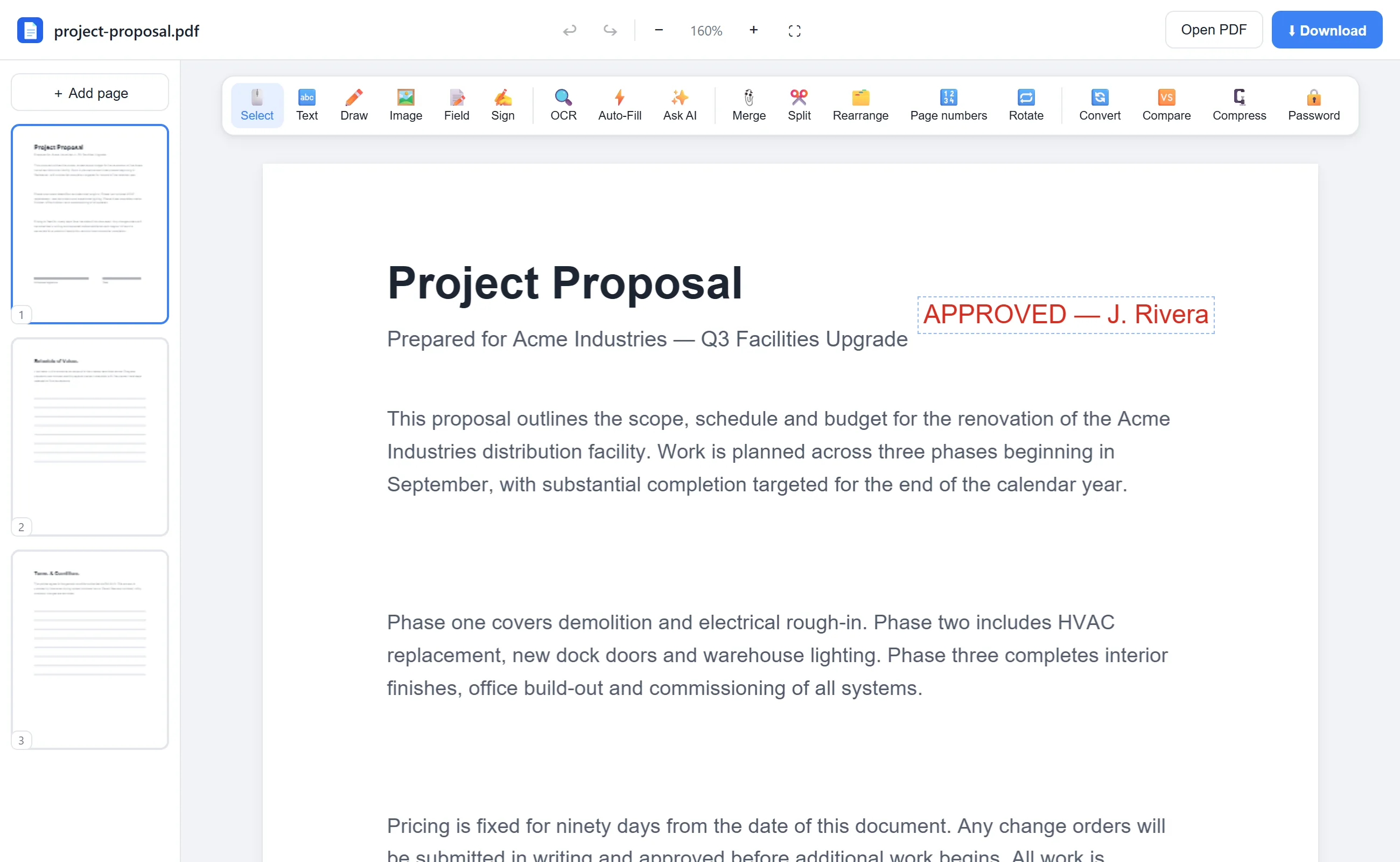
What you can do with EditFreePDF
- Convert every page in one click
- Choose JPG or PNG output
- High-resolution 144-DPI-equivalent rendering
- Numbered files in a single ZIP
- Extract specific pages first if you don't need them all
All of it free — no account, no watermark, no upload. Your file is processed locally in your browser.
Frequently asked questions
How do I convert just one page to JPG?
Extract that page first with the free Split tool, open the result, and convert it.
What resolution are the images?
Pages render at twice their natural size — roughly 144 DPI — which is sharp for screens, slides and documents.
Is there a watermark on the images?
No. The exported images are clean renders of your pages, nothing added.