Free · No sign-up · No watermark · No upload
How to Sign a PDF Online for Free
The easiest way to sign a PDF online for free is to open the PDF in EditFreePDF, click Sign, draw or upload your signature, place it on the signature line, and download the signed PDF. It's free, adds no watermark, and does not upload your document — the whole process happens in your browser.
Tool details: Sign PDF Online
How to Sign a PDF Online for Free — step by step
- 1
Open the PDF you need to sign
Drag the contract, lease or form onto editfreepdf.com. It opens right in the browser.
- 2
Create your signature
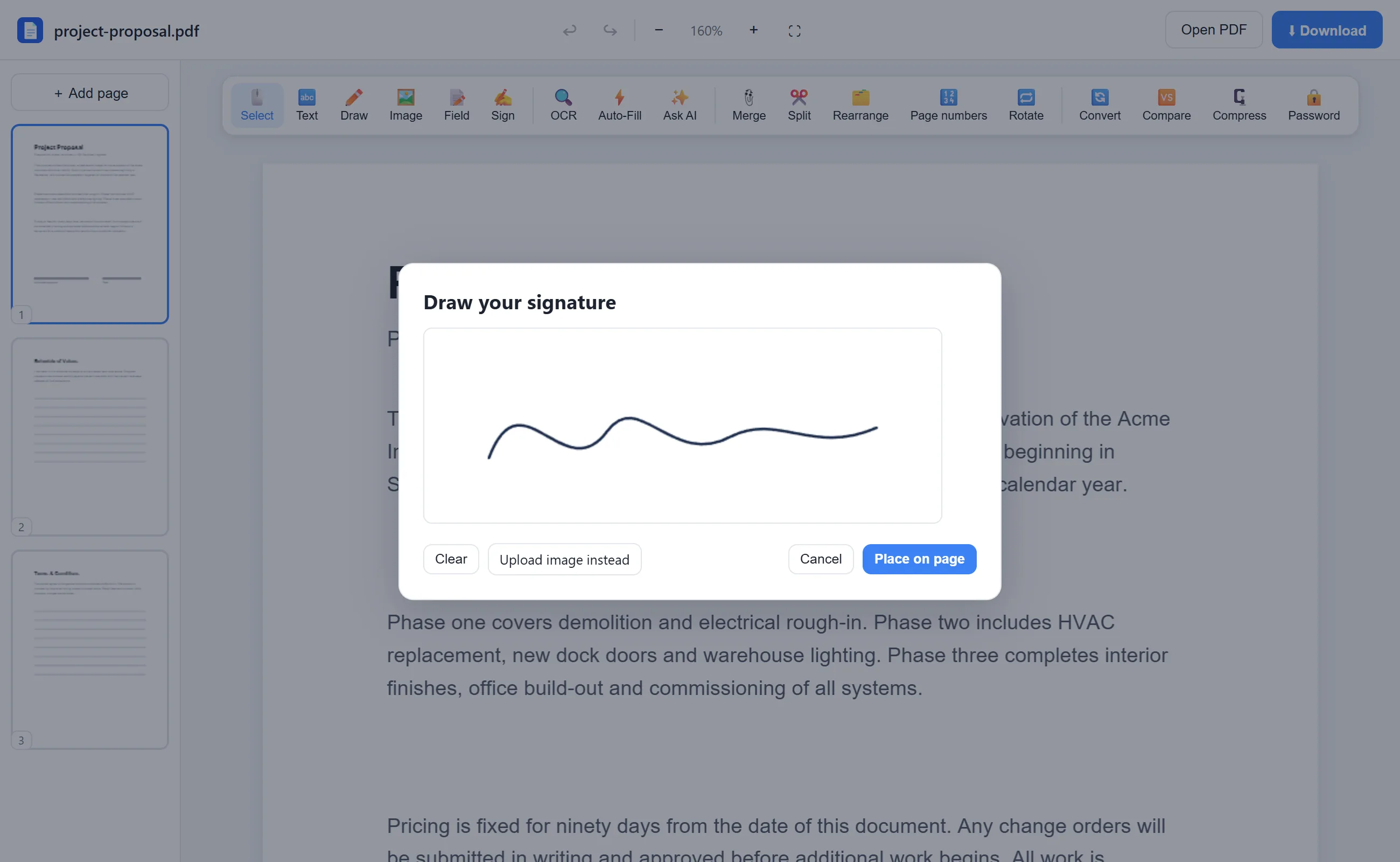
Click Sign. Draw your signature with a mouse, trackpad or finger — or upload a photo/scan of your real signature.
- 3
Place it on the page
Drop the signature onto the signature line and drag its corner to size it naturally.
- 4
Add the date and download
Use the Text tool for the date and any initials, then click Download for your signed, watermark-free PDF.
See it in action
The actual editor — no install, it runs right in your browser.
What you can do with EditFreePDF
- Draw a signature with mouse, trackpad or finger
- Upload an image of your real signature
- Resize and reposition the signature
- Add dates, names and initials
- Fill form fields before signing
- Sign on desktop, phone or tablet
All of it free — no account, no watermark, no upload. Your file is processed locally in your browser.
Frequently asked questions
How do I sign a PDF without printing it?
Open it in EditFreePDF, draw or upload your signature with the Sign tool, place it on the page and download. No printer or scanner involved.
Can I sign a PDF without uploading it?
Yes — this is the key difference. EditFreePDF signs documents locally in your browser; the contract never travels to a server.
Does the free signature add a watermark?
No. The signed PDF you download contains only your document and your signature.