Free · No sign-up · No watermark · No upload
How to Password Protect a PDF
To password protect a PDF for free, open it in EditFreePDF, click Password, choose Add password, enter the password and download. The copy is encrypted with AES-256 — and unlike upload-based sites, the unprotected file never leaves your device.
Tool details: Protect PDF
How to Password Protect a PDF — step by step
- 1
Open the PDF
Drag the document you want to lock onto editfreepdf.com.
- 2
Add a password
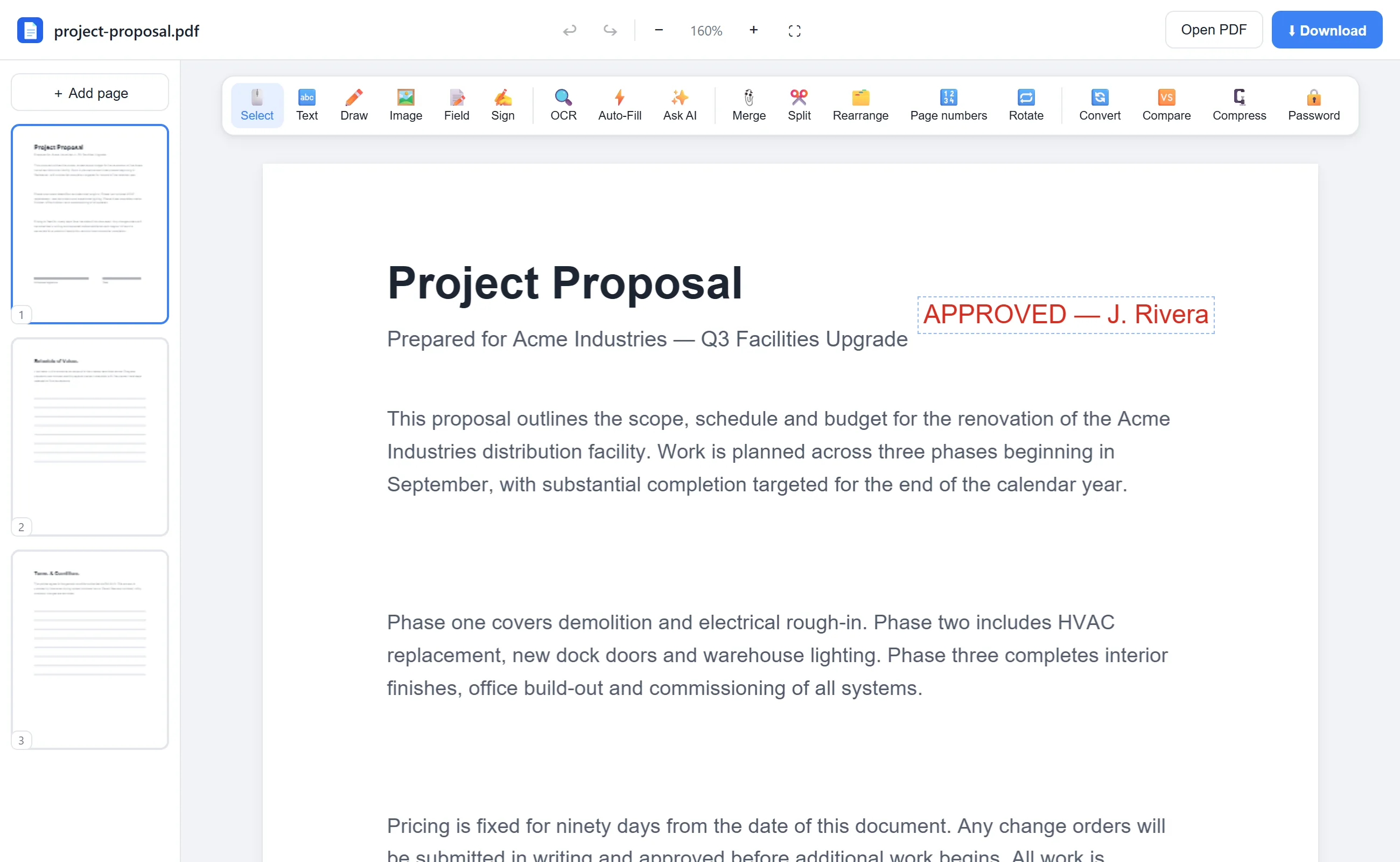
Click Password in the toolbar and keep Add password selected. Enter the password readers will need to open the file.
- 3
Apply and download
Click Apply & download — a new AES-256-encrypted PDF downloads. The first run fetches the encryption engine, then everything happens locally.
- 4
Share it safely
Send the protected file by email or upload; only people with the password can open it. Share the password through a different channel.
See it in action
The actual editor — no install, it runs right in your browser.
What you can do with EditFreePDF
- Encrypt with 256-bit AES
- Protect unlimited documents free
- Keep the original file untouched
- Remove the password later (with the password)
- Everything local — password and file never sent anywhere
All of it free — no account, no watermark, no upload. Your file is processed locally in your browser.
Frequently asked questions
Can people without the password open the file?
No — the contents are encrypted with AES-256. Without the password the document can't be read.
What password should I use?
A long, unique passphrase. And share it via a different channel than the file itself (e.g. text the password, email the file).
Can I unprotect the PDF later?
Yes — use the free Unlock PDF tool with the current password to download a decrypted copy.